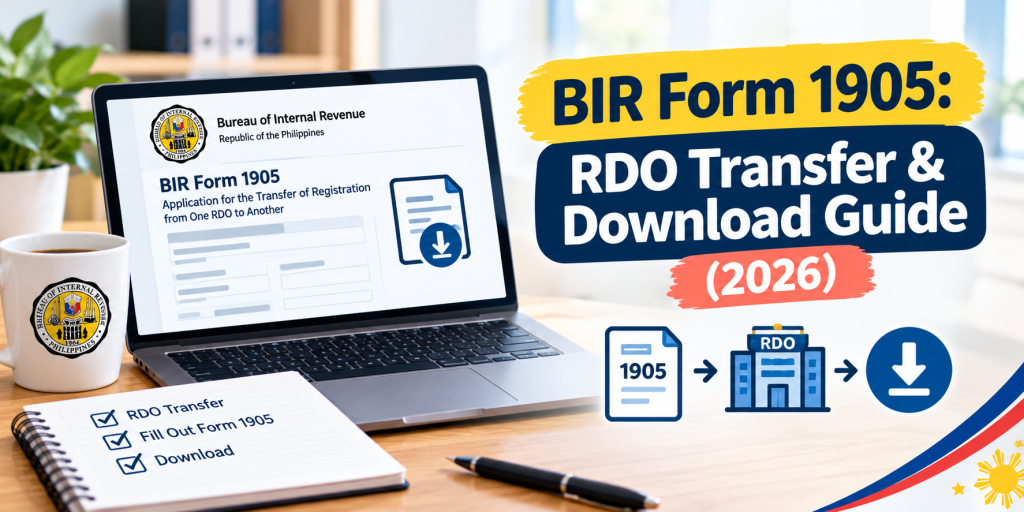
BIR Form 1905: How to Transfer RDO, Update Info, and Download (2026)
Everything covered by BIR Form 1905 — RDO transfers (now available fully online for individuals), info updates, and how to download the current version.
Sourced directly from the current official BIR Form 1905 (October 2025 ENCS version, bir.gov.ph), cross-checked against legal and tax commentary, verified July 2026.
If you’ve moved, changed employers, need to correct your registered details, or lost your TIN card, Form 1905 is almost always the form you need — it’s the one document covering nearly every post-registration change BIR allows.
What Form 1905 Actually Is (and Isn’t)
BIR Form 1905, officially the “Application for Registration Information Update/Correction/Cancellation,” is used only for changes to an existing registration — it is not a new-registration form. If you’re registering for a TIN for the first time, you need Form 1901, 1902, or 1904 instead (covered in our TIN ID requirements guide). Form 1905 only comes into play once you already have a TIN and need to change something about your record.
What You Can Use Form 1905 For
This single form covers a genuinely wide range of situations:
- Transferring your registration to a new RDO — the most common reason people file this form
- Changing your registered address, civil status, or name
- Adding, changing, or closing a line of business or registered activity
- Changing your tax type or registered incentives
- Replacing a lost or damaged Certificate of Registration (COR) or TIN card
- Cancelling a TIN due to death of the taxpayer, or resolving an identical/multiple TIN issue
- Registering manual books of accounts (new or subsequent)
- Updating your email address on file — a required step before registering for ORUS or generating a Digital TIN ID, as covered in our ORUS registration guide
Download the Current Official Form
Always use the current version — October 2025 ENCS — since an outdated layout can get your application bounced. Download it directly from BIR: bir-cdn.bir.gov.ph/BIR/pdf/1905%20October%202025%20ENCS%20Final.pdf. As with the other forms in this guide series, get it directly from a bir.gov.ph or bir-cdn.bir.gov.ph link — not a third-party site.
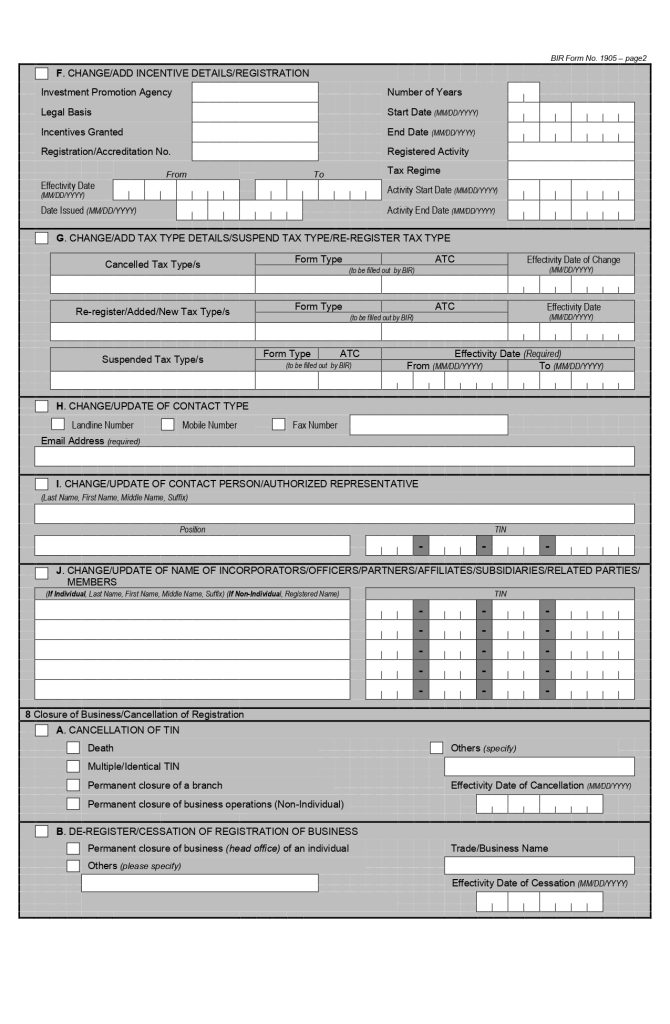
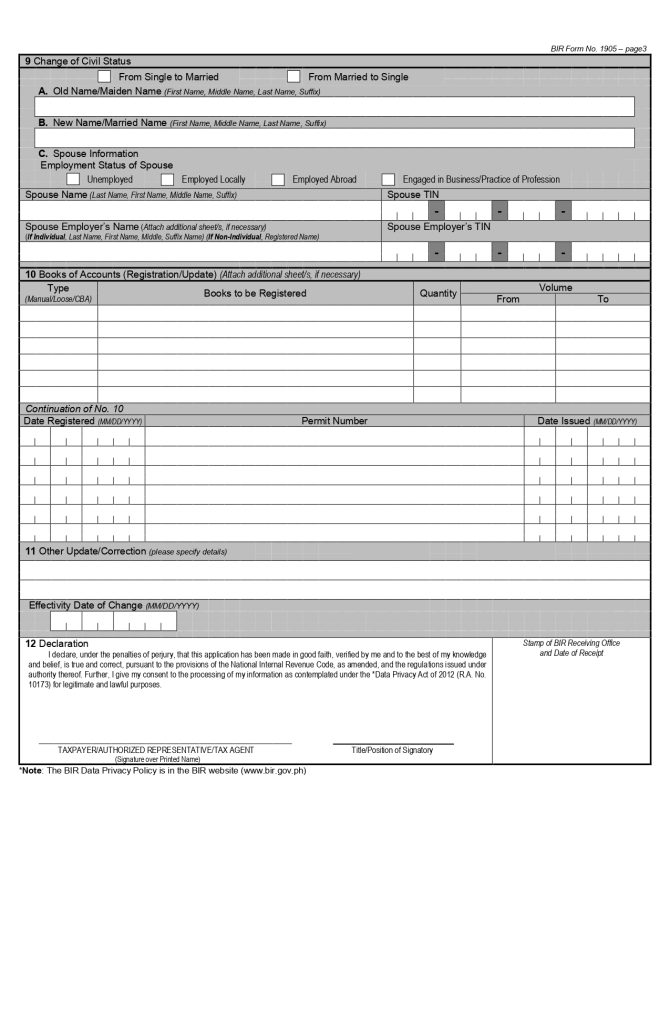
Here is what the form looks like.
. As with the other forms in this guide series, get it directly from a bir.gov.ph or bir-cdn.bir.gov.ph link — not a third-party site.
**[INSERT SCREENSHOT: the official Form 1905 header showing the box numbers for Transfer to Another RDO (Box 6) and Change/Add Registered Activity (Box 7), so readers can quickly identify which box applies to their situation]**
## Good News: RDO Transfer Can Now Be Done Fully Online (For Most Individual Taxpayers)
This is worth knowing before you plan a branch visit: per an official BIR clarification (RMC No. 91-2024, confirmed via a public records request response), **individual, non-business taxpayers can complete an RDO transfer entirely through ORUS** — create an account, select "Update Information," upload your supporting documents, and submit. **For non-business taxpayers, the transfer is immediate once you've filed complete documentary requirements** — you don't need to visit your old or new RDO in person at all. Online RDO transfers through ORUS are also listed as free of charge.
**Business taxpayers face more complexity.** If you're transferring a business registration, RMC No. 91-2024 also notes that **open cases or stop-filer status can affect and slow down processing**, and unused invoices/supplementary invoices need to be accounted for as part of the transfer. In these cases, or if ORUS flags an issue with your online submission, the manual two-step process (old RDO, then new RDO) described below remains the fallback path.
## The Manual Process, If Online Isn't an Option for Your Case
If your situation involves open cases, business complications, or ORUS simply isn't cooperating, here's the traditional path:
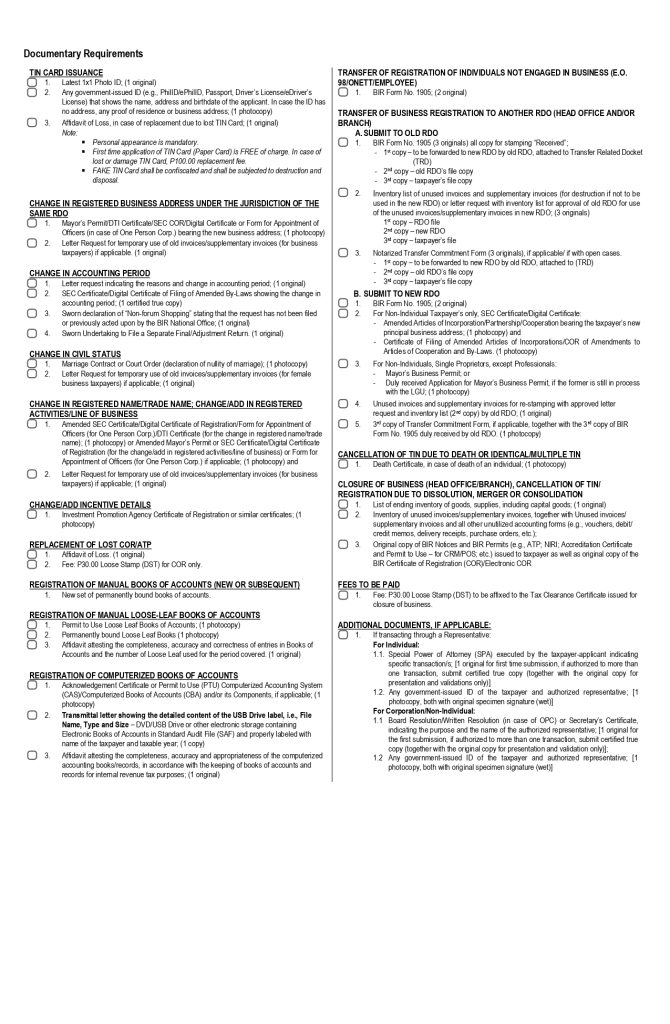
1. **File with your OLD RDO first** — bring 3 original copies of the completed Form 1905, along with a notarized Transfer Commitment Form if you have any open cases with that RDO.
2. Your old RDO stamps your copies "Received," keeps one for their Transfer Related Docket, and forwards a copy to your new RDO.
3. **Submit to your NEW RDO**: bring 2 original copies of Form 1905, along with the stamped copy from your old RDO and any supporting documents specific to your situation (business documents, sworn undertakings, etc., if applicable).
4. Your new RDO processes the transfer and issues an updated Certificate of Registration or updates your TIN record once complete.
**Supporting documents you may need**, depending on your specific situation:
- Proof of your new address — a utility bill, barangay certificate, or lease contract
- Employer certification, if the transfer is tied to a new job
- SEC documents or board resolution, for corporate taxpayers
- A Special Power of Attorney and valid IDs of both parties, if someone is filing on your behalf
## The Fee
**Online RDO transfers through ORUS are free.** A **₱30 Documentary Stamp Tax** may still apply when a new physical Certificate of Registration needs to be issued — typically relevant for business transfers processed the manual way. Check with your specific RDO or ORUS transaction for what applies to your case.
## If You Discover You Have More Than One TIN
Form 1905 is also the mechanism for resolving this — but the fix is to **cancel/merge the incorrect record and keep only one TIN**, not to simply pick one and ignore the other. Having more than one TIN remains a real compliance problem (and criminally punishable, as covered in our TIN ID requirements guide) until it's formally resolved through BIR.
## Common Mistakes That Cause Delays
- **Using an outdated version of the form** instead of the current October 2025 ENCS edition
- **If filing manually: skipping the old RDO step** — going straight to the new RDO without first completing the required step at your old RDO
- **Missing the notarized Transfer Commitment Form** when open cases exist
- **Incomplete supporting documents** specific to your update type
## FAQs
**How long does an RDO transfer take?**
For individual, non-business taxpayers filing online through ORUS, transfer is confirmed as immediate once your documentary requirements are complete. Business transfers, or cases involving open issues, generally take longer — ask your specific RDO for their current estimated timeline if you're filing manually.
**Do I need to file Form 1905 if I'm just updating my email for ORUS?**
Yes — updating your email on file (via the Registration Update Sheet, sometimes referenced as S1905) is a prerequisite before ORUS will recognize your email for verification, as covered in our ORUS registration guide.
**Can my employer file this for me?**
For employees, your new employer often initiates or assists with an RDO transfer tied to a new job. For self-employed individuals and business owners, you're generally responsible for filing it yourself.
**What if I don't know which RDO I'm currently registered under?**
Confirm this before filing — through ORUS, BIR's RDO finder, or by contacting BIR directly — since filing at the wrong office can cause delays.
**Is Form 1905 the same form for both individuals and businesses?**
Yes, it's the same form for both, but the specific boxes you fill out and the supporting documents required differ depending on your taxpayer type and the nature of your update.
---
*Related guides: [TIN ID Requirements Philippines 2026] · [How to Get a TIN Number Online: BIR Registration Guide 2026]*](https://alaminmo.com/wp-content/uploads/2026/09/BIR-Form-1905-1st-page-670x1024.jpg)
Good News: RDO Transfer Can Now Be Done Fully Online (For Most Individual Taxpayers)
This is worth knowing before you plan a branch visit: per an official BIR clarification (RMC No. 91-2024, confirmed via a public records request response), individual, non-business taxpayers can complete an RDO transfer entirely through ORUS — create an account, select “Update Information,” upload your supporting documents, and submit. For non-business taxpayers, the transfer is immediate once you’ve filed complete documentary requirements — you don’t need to visit your old or new RDO in person at all. Online RDO transfers through ORUS are also listed as free of charge.
Business taxpayers face more complexity. If you’re transferring a business registration, RMC No. 91-2024 also notes that open cases or stop-filer status can affect and slow down processing, and unused invoices/supplementary invoices need to be accounted for as part of the transfer. In these cases, or if ORUS flags an issue with your online submission, the manual two-step process (old RDO, then new RDO) described below remains the fallback path.
The Manual Process, If Online Isn’t an Option for Your Case
If your situation involves open cases, business complications, or ORUS simply isn’t cooperating, here’s the traditional path:
- File with your OLD RDO first — bring 3 original copies of the completed Form 1905, along with a notarized Transfer Commitment Form if you have any open cases with that RDO.
- Your old RDO stamps your copies “Received,” keeps one for their Transfer Related Docket, and forwards a copy to your new RDO.
- Submit to your NEW RDO: bring 2 original copies of Form 1905, along with the stamped copy from your old RDO and any supporting documents specific to your situation (business documents, sworn undertakings, etc., if applicable).
- Your new RDO processes the transfer and issues an updated Certificate of Registration or updates your TIN record once complete.
Supporting documents you may need, depending on your specific situation:
- Proof of your new address — a utility bill, barangay certificate, or lease contract
- Employer certification, if the transfer is tied to a new job
- SEC documents or board resolution, for corporate taxpayers
- A Special Power of Attorney and valid IDs of both parties, if someone is filing on your behalf
The Fee
Online RDO transfers through ORUS are free. A ₱30 Documentary Stamp Tax may still apply when a new physical Certificate of Registration needs to be issued — typically relevant for business transfers processed the manual way. Check with your specific RDO or ORUS transaction for what applies to your case.
If You Discover You Have More Than One TIN
Form 1905 is also the mechanism for resolving this — but the fix is to cancel/merge the incorrect record and keep only one TIN, not to simply pick one and ignore the other. Having more than one TIN remains a real compliance problem (and criminally punishable, as covered in our TIN ID requirements guide) until it’s formally resolved through BIR.
Common Mistakes That Cause Delays
- Using an outdated version of the form instead of the current October 2025 ENCS edition
- If filing manually: skipping the old RDO step — going straight to the new RDO without first completing the required step at your old RDO
- Missing the notarized Transfer Commitment Form when open cases exist
- Incomplete supporting documents specific to your update type
Frequently Asked Questions
For individual, non-business taxpayers filing online through ORUS, transfer is confirmed as immediate once your documentary requirements are complete. Business transfers, or cases involving open issues, generally take longer — ask your specific RDO for their current estimated timeline if you’re filing manually.
Yes — updating your email on file (via the Registration Update Sheet, sometimes referenced as S1905) is a prerequisite before ORUS will recognize your email for verification, as covered in our ORUS registration guide.
For employees, your new employer often initiates or assists with an RDO transfer tied to a new job. For self-employed individuals and business owners, you’re generally responsible for filing it yourself.
Confirm this before filing — through ORUS, BIR’s RDO finder, or by contacting BIR directly — since filing at the wrong office can cause delays.
Yes, it’s the same form for both, but the specific boxes you fill out and the supporting documents required differ depending on your taxpayer type and the nature of your update.
Related guides: TIN ID Requirements Philippines 2026 · How to Get a TIN Number Online: BIR Registration Guide 2026