
How to Check Your SSS Contributions Online (2026 Guide)
How to check your SSS contributions online — through the My.SSS web portal, the mobile app, or SMS — plus what to do if a payment isn’t showing up yet.
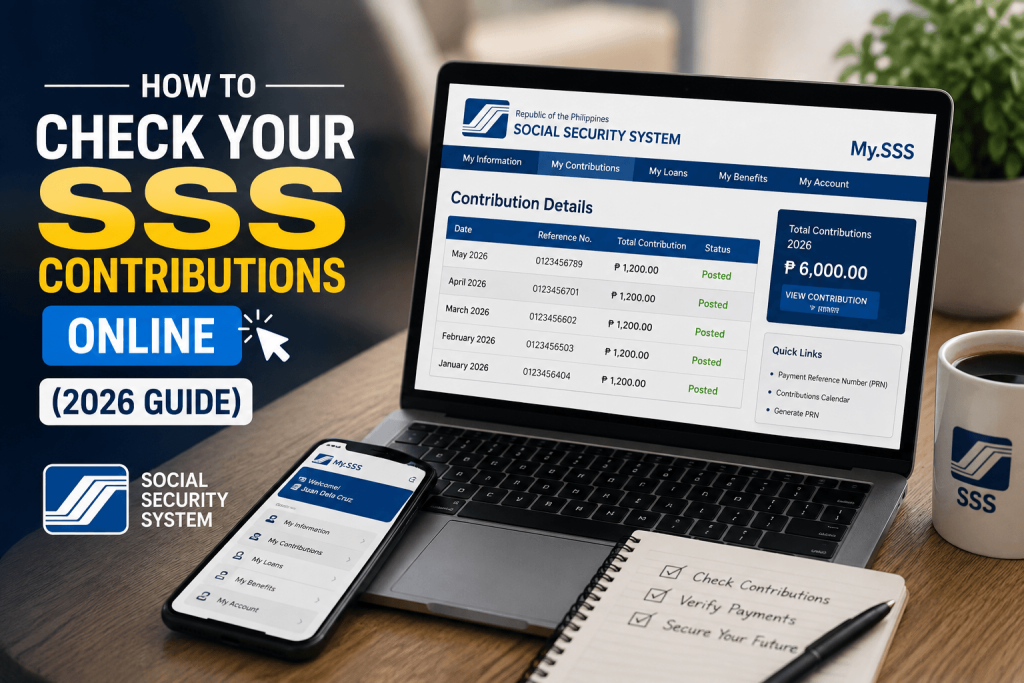
Methods below are sourced from the official SSS website (sss.gov.ph), including the SMS/Text SSS service and SSS Mobile App details, verified July 2026.
Whether you’re confirming your employer is remitting correctly, checking if you qualify for a loan, or just keeping track of your record, checking your SSS contributions takes a few minutes once you know where to look. This guide covers every method — web portal, mobile app, and even SMS if you don’t have data — so you can pick whichever’s easiest for you.
Method 1: Check via the My.SSS Web Portal
This is the most detailed view of your contribution history.
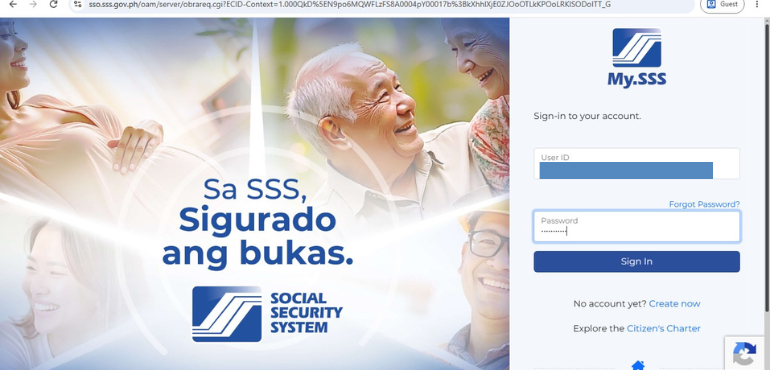
- Go to the official SSS website and click Login to My.SSS, or go directly to the My.SSS login page.
- Log in with your registered User ID and password.
- From the main menu, click Inquiry.
- Select Contributions from the dropdown.
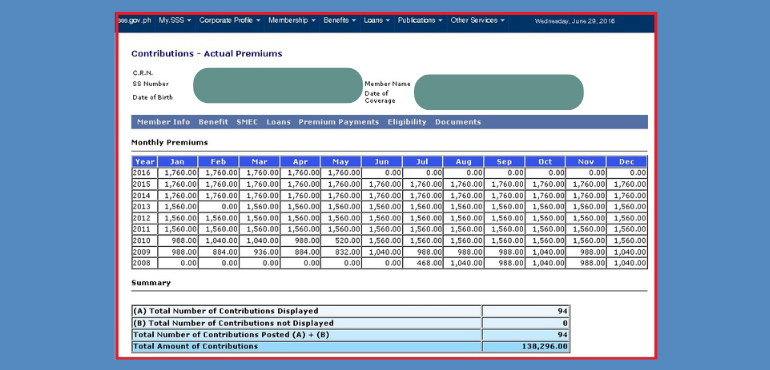
- Your contribution history will display, typically showing the month, the amount posted, and which membership type it was posted under (employed, self-employed, voluntary, or OFW).
Below are the screenshot for better checking of your SSS contributions
Don’t have a My.SSS account yet? See our separate guide on registering for My.SSS — you’ll need an account to use this method.
Method 2: Check via the SSS Mobile App
The SSS Mobile App gives you a similar view to the web portal, and is often more convenient if you’re checking on the go.
- Download the SSS Mobile App from the Google Play Store or Apple App Store.
- Log in using your existing My.SSS account credentials — there’s no separate registration needed if you already have a My.SSS account.
- From the dashboard, view your monthly contributions directly.
- The app also lets you generate your Payment Reference Number (PRN), pay contributions online via GCash, Maya, debit, or credit card, and view your last login activity for security purposes.
Method 3: Check via SMS (No Internet Needed)
If you don’t have data or a smartphone handy, SSS offers a text-based inquiry service — but it requires a one-time registration first.
Step 1: Register for Text-SSS (only needed once)
- Open your messaging app and type: SSS REG <your SS Number> <your Date of Birth in MM/DD/YY format>
(Example: SSS REG 0312345678 01/15/90) - Send it to 2600.
- You’ll receive a text back containing your PIN — save this, you’ll need it for every future inquiry.
Step 2: Check your contributions
- Type: SSS CONTRIB <your SS Number> <your PIN>
(Example: SSS CONTRIB 0312345678 1234) - Send it to 2600.
- You’ll receive a text back with your contribution status.
This is useful as a quick check, though it won’t give you the same level of detail (month-by-month breakdown) as the web portal or mobile app.
Text-SSS charges apply per inquiry: ₱2.50 for Globe and Smart subscribers, ₱2.00 for Sun Cellular subscribers. Rates may change without notice — confirm current rates with your carrier.
Standard text messaging rates may apply depending on your carrier.
What to Do If Your Contributions Aren’t Showing Up
Missing or delayed contributions are a common concern, especially for employed members. Here’s what typically causes it and what to check:
- Recent payment, not yet posted — contribution posting isn’t always instant. Give it a few business days, especially right after your employer’s remittance deadline.
- Employer delay or non-remittance — if you’re employed and contributions are consistently missing despite being deducted from your payslip, this is the most common cause. Compare your payslip deductions against what’s posted in My.SSS.
- Self-employed/voluntary/OFW members — double check you generated and paid against the correct PRN for the correct month, since payments tied to the wrong PRN can post incorrectly.
If contributions remain missing after checking these, contact SSS directly through the hotline (1455) or your nearest branch, since only SSS can investigate a specific posting issue on your account.
Why Checking Your Contributions Regularly Matters
- Loan eligibility — as covered in our SSS Salary Loan guide, your loan amount and eligibility depend directly on your posted contribution count and Average Monthly Salary Credit.
- Benefit claims — sickness, maternity, disability, retirement, and other benefits are all computed based on your contribution history, so gaps can affect what you’re entitled to later.
- Catching employer issues early — the earlier you catch a non-remitting employer, the easier it is to resolve before it affects a loan or benefit application.
FAQs
Posting timing depends on when your employer (or you, if self-employed/voluntary/OFW) remits payment and how quickly it’s processed — typically within a few business days to a couple of weeks after payment.
No — you can only access your own contribution record through your own My.SSS login, mobile app, or SMS request tied to your registered mobile number.
No, checking your contributions through any of these methods is free. Standard SMS rates apply only for the text-based method.
These are separate sections in My.SSS — contributions show your posted payment history, while loan status (covered in our SSS Salary Loan guide) shows your active loan application and repayment status specifically.
Related guides: SSS Salary Loan: Complete 2026 Guide · How to Register for My.SSS Online