PhilHealth MDR: What It Actually Is, and How to Get Yours
The MDR isn’t a form you fill out — it’s what you get after registering. Here’s what it actually contains, how to get yours, and the PBEF development most guides miss.
Sourced across multiple independent references and cross-checked against PhilHealth’s governing statutes (RA 11223, RA 7875, RA 11032), verified July 2026.
If you searched for a “PhilHealth MDR form,” here’s the first thing worth knowing: the MDR isn’t a form you fill out.That confusion is common enough that even some other guides get it wrong. Here’s what it actually is, and how you get yours.
Clearing Up the Confusion First
- PMRF (PhilHealth Member Registration Form) — this is the form you fill out to register or update your information. We cover this in detail in our PMRF guide.
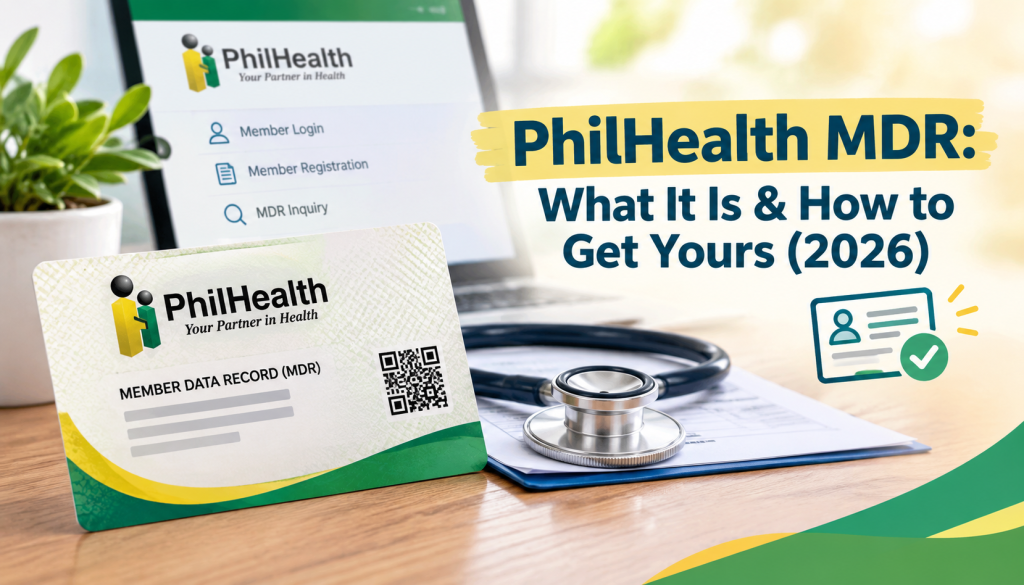
- MDR (Member Data Record) — this is the output document you receive after you’ve registered, showing your PhilHealth Identification Number (PIN), personal details, and declared dependents.
You don’t “fill out an MDR form.” You fill out a PMRF, and the MDR is generated for you afterward. If what you’re actually looking for is the form to register or update your info, that’s the PMRF, not the MDR.
What the MDR Actually Contains and Why It Matters
Your MDR lists:
- Your PhilHealth Identification Number (PIN)
- Your Philhealth Employer Number (PEN), if applicable to your membership type
- Your personal details (name, address, date of birth, civil status)
- Your declared dependents
This document matters because hospitals and clinics use it to verify your membership and eligibility before processing the automatic PhilHealth deduction from your bill. Without it (or without your PIN readily available), you may face delays or complications when claiming benefits. It’s governed by the Universal Health Care Act (RA 11223) and the National Health Insurance Act (RA 7875), and its handling falls under the Data Privacy Act (RA 10173) as your personal record.
It’s separate from your physical PhilHealth ID card — some members receive a card through their registering office, but the MDR itself is a printable data record, not the card.

How to Get Your MDR
Option 1: Online, through the Member Portal
- Log in to the PhilHealth Member Portal using your PIN and password. (New users need to complete registration and email verification first — covered in our PhilHealth online registration guide.)
- Navigate to the “Print MDR” section.
- Your MDR generates as a downloadable PDF.
Option 2: In person, at a PhilHealth office
- Get a PhilHealth Request Form and fill it out with your name, PIN, birthdate, and address.
- Check the “Member Data Record” box on the form.
- Submit the form along with a valid ID to the PhilHealth officer.
- Your MDR is typically printed and issued on the spot.
If you’re employed: your MDR and PhilHealth ID are often issued through your employer’s HR department as part of the registration your employer handled on your behalf — check with HR before assuming you need to request it yourself.
If you don’t have a PIN at all yet: there’s no MDR to generate, since it’s created after registration, not before. Start with registering for a PIN first, covered in our PhilHealth online registration guide.
A Newer Development Worth Knowing: PBEF
PhilHealth’s own Advisory No. 2020-004 confirms that hospitals with the Health Care Institution (HCI) Portal installed can generate a PhilHealth Benefit Eligibility Form (PBEF) directly at the point of care — and PhilHealth’s own documentation states this “effectively replaces the Member Data Record” for verifying eligibility, when the PBEF result comes back “YES.”
This isn’t a universal replacement, though — two conditions matter:
- It only applies at hospitals that actually have the HCI Portal installed. Many hospitals, clinics, HMOs, schools, and employers still don’t have this in place and will simply ask for your MDR the traditional way.
- Even at HCI-Portal-equipped hospitals, a PBEF result of “NO” means you’re not yet eligible in the system. PhilHealth’s immediate-eligibility circular (2022-0013) says the patient should register or apply for a PIN during the confinement to become eligible, and the hospital may ask for your MDR or other documents to help resolve it. The PBEF only substitutes for the MDR when it clears you as eligible.
Our honest practical advice, echoed across multiple sources: bring a printed or saved copy of your MDR to any hospital visit anyway. It costs you nothing to have it ready, and plenty of institutions still ask for it regardless of what the underlying technology theoretically allows.
Found an Error on Your MDR?
If your name, address, or dependent information is wrong, you correct this the same way covered in our PMRF guide — download the PMRF, tick “FOR UPDATING,” and submit it with supporting documents. You don’t request a “corrected MDR” directly; the correction happens at the PMRF level, and a new MDR reflecting the fix is generated afterward.
FAQs
Is the MDR the same as my PhilHealth ID card? No — the MDR is a printable data record; the ID card is a separate physical card some members receive through their registering office.
Do I need to renew my MDR periodically? No — it’s not something that expires and needs renewal. You’d only need a fresh copy if your information changes (requiring a PMRF update) or if you simply need another printout.
Can someone else get a copy of my MDR on my behalf? Generally, this requires your PIN and portal login, or your personal presence with a valid ID at a PhilHealth office — treat your MDR and PIN as personal information, similar to how you’d guard any ID document.
What if my employer already handled my registration — do I still need to get my own MDR? It’s still worth confirming you have access to your own PIN and can generate your MDR independently, in case you ever need it outside of a work context (freelance income, a different hospital, or after changing jobs).
Is there a fee to get an MDR? No, generating or requesting your MDR through official PhilHealth channels is free.
Frequently Asked Questions
No — the MDR is a printable data record; the ID card is a separate physical card some members receive through their registering office.
No — it’s not something that expires and needs renewal. You’d only need a fresh copy if your information changes (requiring a PMRF update) or if you simply need another printout.
Generally, this requires your PIN and portal login, or your personal presence with a valid ID at a PhilHealth office — treat your MDR and PIN as personal information, similar to how you’d guard any ID document.
It’s still worth confirming you have access to your own PIN and can generate your MDR independently, in case you ever need it outside of a work context (freelance income, a different hospital, or after changing jobs).
No, generating or requesting your MDR through official PhilHealth channels is free.
Related guides: PhilHealth Updating Form (PMRF): How to Update Your Info Online · PhilHealth Contribution Table 2026